Changing settings without leaving the work
I designed a global settings panel for vvd.
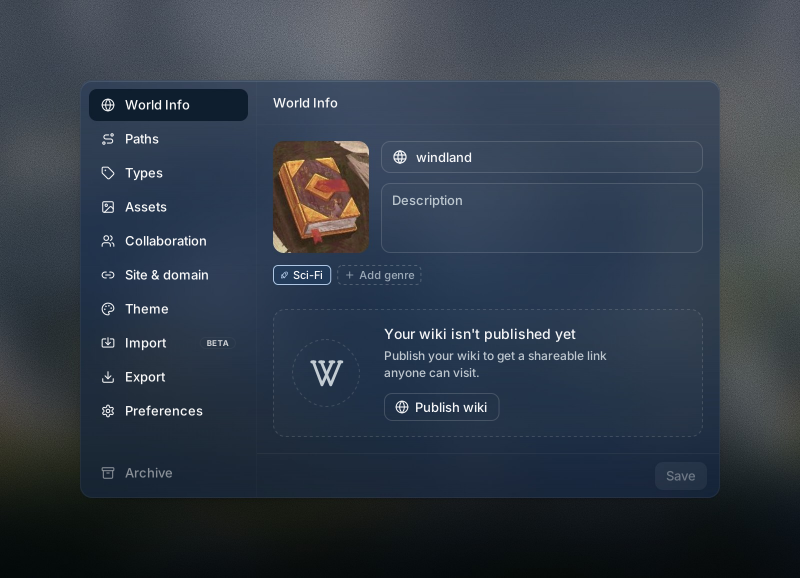
| Part 1Settings navigation | The left sidebar provides access to each settings section. |
|---|---|
| Part 2*Section header | The shipped World Info panel leaves the header out. I added it here to show where the header part sits in the panel. |
| Part 3Content area | The main body contains the settings for the selected section. |
| Part 4Panel footer | The footer holds actions for the current section, such as Save. |
I built the panel as a compound component, with separate parts for navigation, the header, content, and footer. This makes it easier to add, remove, or rearrange parts as the product changes.
Keep current work in place
Several controls were scattered across the app. Reaching them meant interrupting ongoing work to find a setting, make a change, then return.
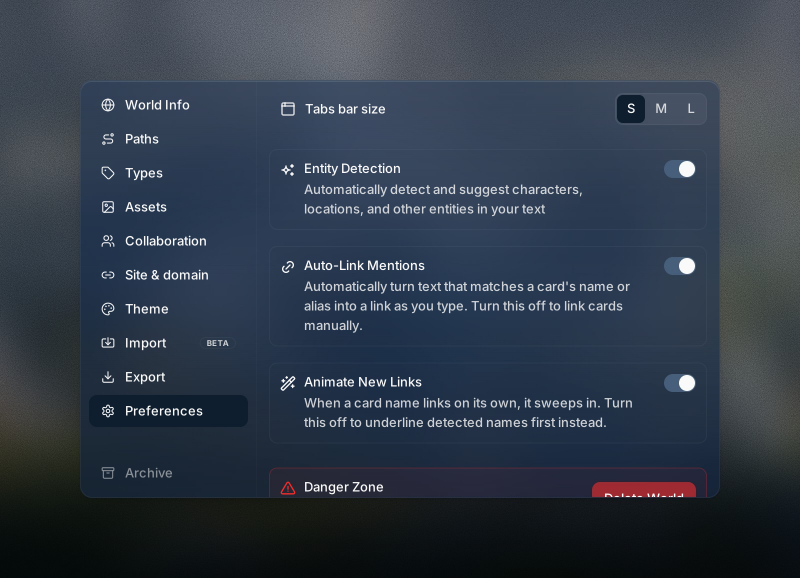
I brought world settings and preferences into one panel, accessible anywhere in the app. People can make a change and close it with their current work still in place.
After launch
Users could now adjust settings wherever they were working, without switching pages and interrupting their focus.
The support team had one place to direct people when questions came in. Automated replies could point to the same panel instead of explaining several locations. The team reported a sharp drop in settings-related support tickets after launch.